Know what needs to happen next.
Assign tasks to a person, a room and a project phase. Keep dates and dependencies in view before a missing decision holds up the next job.
Tasks · Dates · Project plan
For your building project
Who is doing what next? Which decision is still missing? Is the budget on track? Bring tasks, dates, costs and documents together in one place.
Limited pilot for private building projects in Germany. Start your trial after confirming your email address, subject to available capacity. Already participating? Sign in
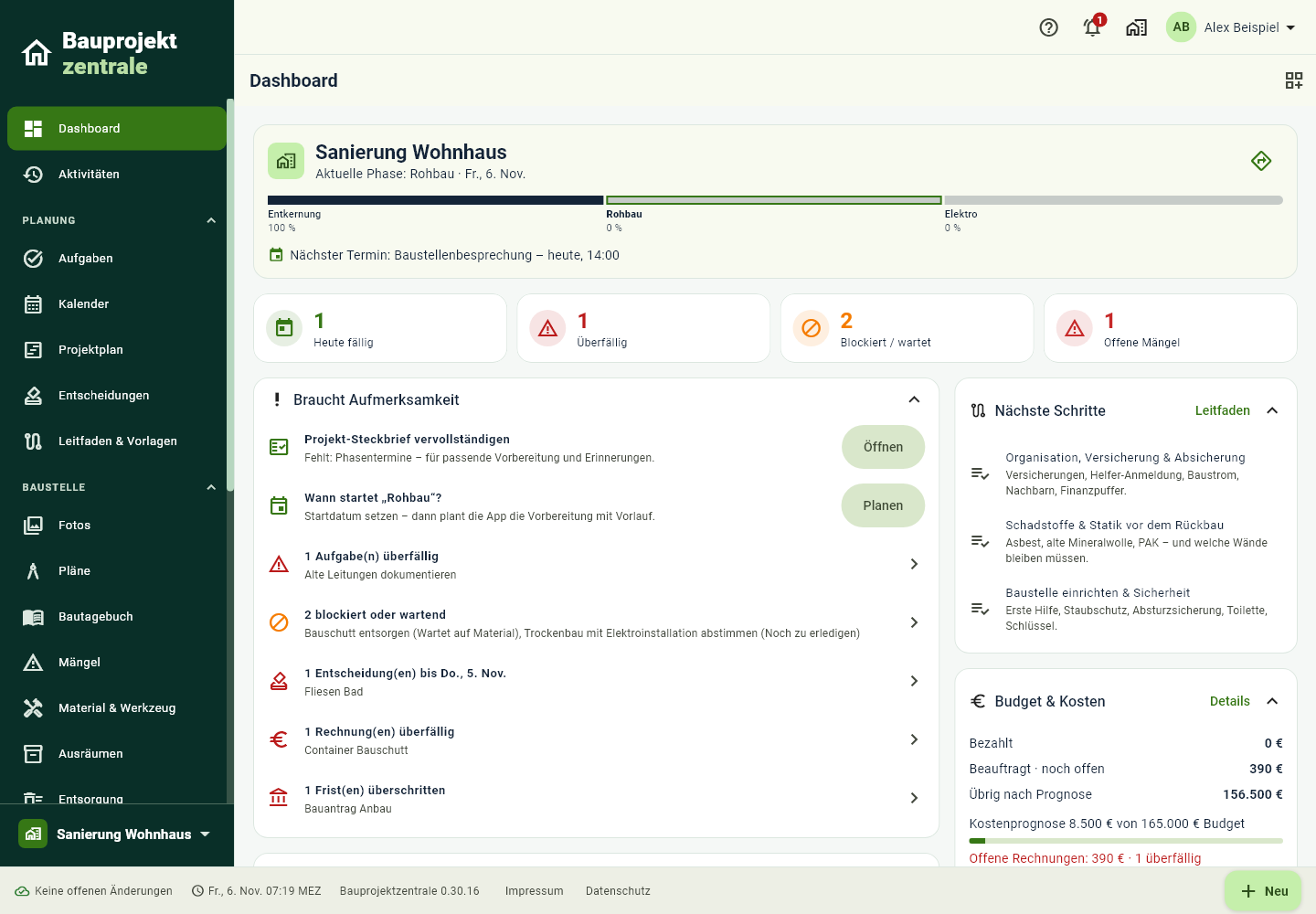
Less time searching.
A clearer view of your project.
From the first plan to the last invoice
Assign tasks to a person, a room and a project phase. Keep dates and dependencies in view before a missing decision holds up the next job.
Tasks · Dates · Project planAn estimate is not an order. An order is not a payment. Keep quotes, invoices and paid amounts together, and see what your cost forecast means for the remaining budget.
Costs · Budget · ChangesThe photo of a pipe. The invoice for a window. The latest approval. Keep photos and documents in the right project and link them to the work they belong to.
Documents · Photos · Site diaryStart with the project you have in mind
Start with a suitable project structure and add your tasks, dates and documents. Invite the people working with you and give them appropriate roles.
Keep DIY work and contractor tasks in the same project, so everyone can see what has been agreed and what is still missing.
Open your projectPricing per building project
Our first pilot cohort is limited to five participants: one project each, 30 days free without a card, and 100 MiB of file storage per project (25 MiB maximum per file). Start your trial directly in the app after confirming your email address. If capacity is full, you can join the waiting list. Sales are not open; the trial is not an order.
€59 one-off introductory price
Planned regular price: €89
24 months for one building project. Invited members collaborate according to their assigned roles.
Planned final prices for launch; purchasing is not currently available. No VAT is charged under the German small-business scheme. Scope and terms will be published before sales open. English information does not imply sales availability in every country.
Keep track while you are on site
Open the web app on your computer, tablet or phone. The app interface currently runs in German; an English app interface and a dedicated Android release are in preparation. No release date has been announced.
Open web appGood to know
Register your account and confirm your email address. Then name your project and start the free 30-day trial. No card or email request is required. A place is allocated only when project creation succeeds; if capacity is full, you can join the waiting list.
Editing ends automatically. Reading and export remain available initially; there is no automatic payment. Your project is not automatically deleted when the trial ends. You can export your data and delete your account in settings. We will give advance notice before ending the pilot service. A future project pass requires a separate order once sales open.
Organise new builds, renovations, remodelling, extensions or work in individual rooms. A matching project structure gives you a starting point that you adapt to your own work.
Previously loaded data remains available on your device. Supported changes are queued for the next sync. Signing in, loading new files and certain actions require a connection.
Invite people to a project and assign suitable roles. For confidential documents, check the project and section permissions you want to grant.
The app helps you organise and document your project. Professional planning, inspections and responsibility remain with you and the specialists you appoint.
Your Construction Project Headquarters